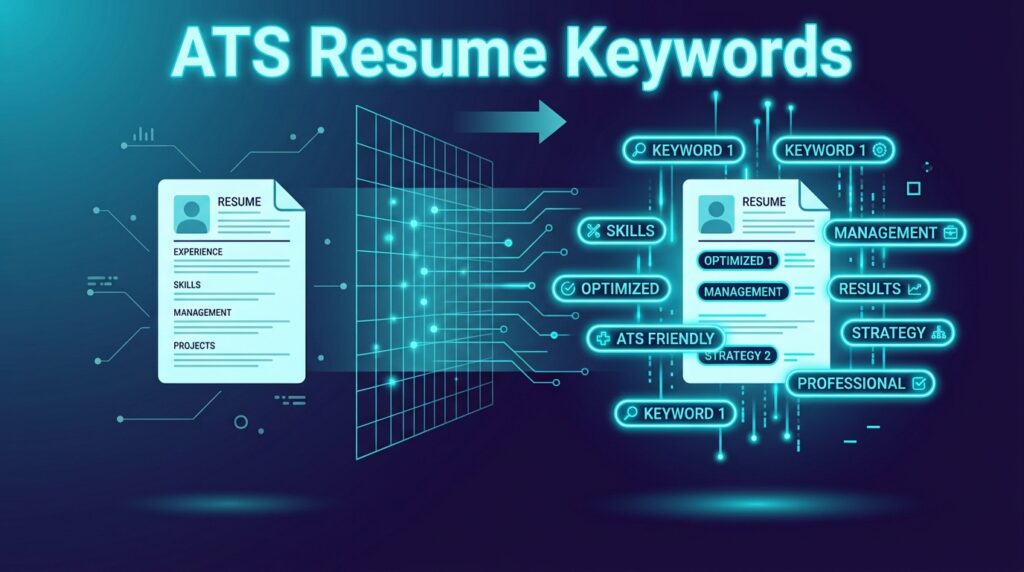
ATS Resume Keywords: How to Find and Use the Right Keywords
You can have years of experience and still struggle to get your resume noticed if it doesn’t clearly match the job you’re applying for.
One reason is the way modern applications are processed. Many employers use Applicant Tracking Systems (ATS) to collect resumes, organize applications, and make candidate information searchable. These systems may look for skills, qualifications, job titles, and other terms related to a position.
That’s where ATS resume keywords become important.
Using the right keywords doesn’t mean stuffing your resume with every phrase from a job description. It means making sure the resume accurately describes your experience using terminology that is relevant to the role.
Free Tool: Want to see if your current resume is missing critical terms? Run your file through our ATS Resume Checker to get instant feedback on your keyword match rate and layout compatibility.
What Are ATS Resume Keywords?
ATS resume keywords are words and phrases that describe the skills, qualifications, experience, tools, certifications, and responsibilities an employer is looking for.
For example, a digital marketing job might mention:
- Search engine optimization (SEO)
- Google Analytics
- Content marketing
- Paid advertising
- Email marketing
- Conversion optimization
If you genuinely have these skills, they should appear naturally in your resume.
How ATS Software Parses Keywords
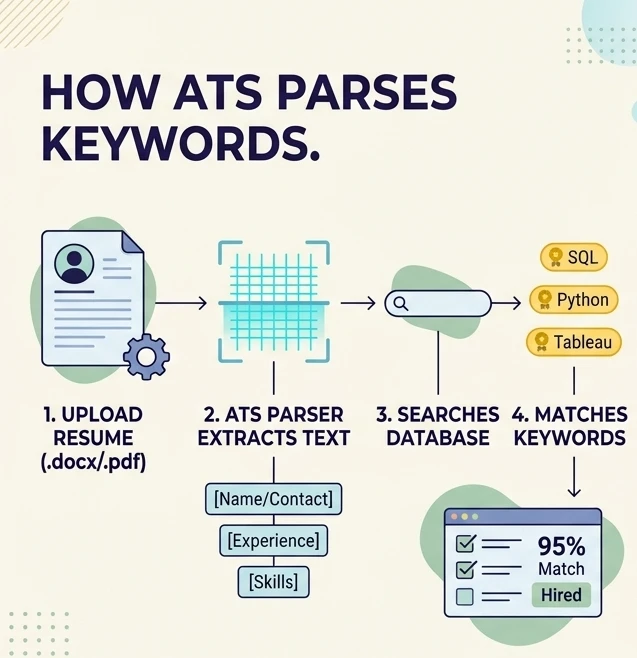
Understanding what happens behind the scenes helps you format your resume correctly for ATS resume keywords extraction. When you submit an application, an Applicant Tracking System processes your resume in three steps:
- Text Extraction (Parsing): The ATS strips away formatting to read your resume as plain text. It categorizes your document into structured sections such as Contact Info, Work Experience, Education, and Skills.
- Database Indexing: The parsed text is stored in a searchable database. Skills, job titles, certifications, and tools are indexed as searchable data points for recruiters.
- Keyword Matching & Ranking: When a recruiter searches for specific qualifications (e.g., “Python,” “Project Management,” or “Google Analytics”), the ATS checks candidate profiles for exact string matches and context. Resumes that clearly demonstrate relevant qualifications appear at the top of search results.
Format Matters: Complex graphics, tables, or unusual file types can disrupt step 1 (text extraction), preventing keywords from being read properly. To ensure your file parses correctly, learn how to choose between ATS Resume PDF vs. Word formats.
Why Do ATS Keywords Matter?
Recruiters often need to find specific qualifications among a large number of applications. An ATS can make candidate information searchable and help organize applicants based on different criteria.
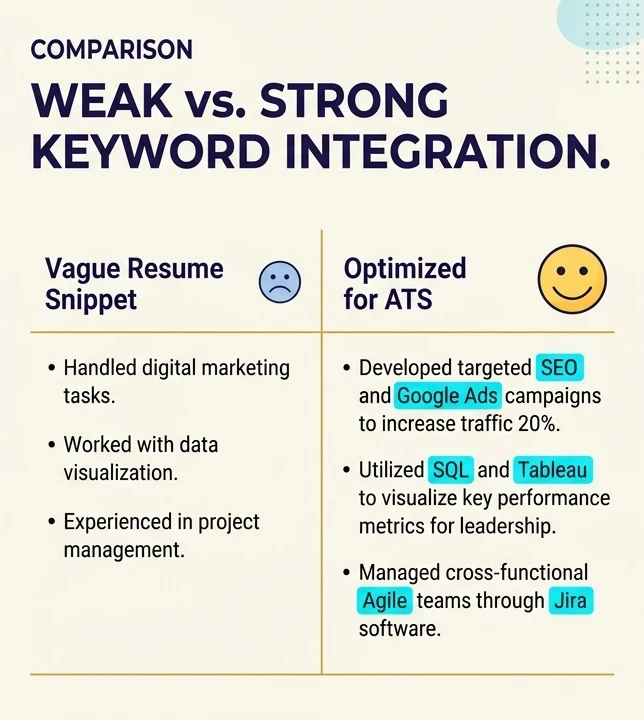
That means vague language can make your experience harder to identify.
For example, saying:
“Worked on online marketing campaigns.”
doesn’t tell the reader much.
A more specific version might be:
“Managed SEO, content marketing, Google Analytics, and paid search campaigns to increase qualified website traffic.”
The second version communicates much more about what you actually know and do.
File Format Tip: Unsure whether to submit your file as a PDF or .docx? Read our comparison guide on ATS Resume PDF vs. Word to choose the safest option for applicant tracking systems.
How to Find ATS Keywords in a Job Description
The job description is usually the best place to start.
1. Look at the Job Title
Pay attention to the exact job title used by the employer.
If the position is called Data Analyst, don’t only describe yourself as a “Data Professional” if you have actually worked as a data analyst.
2. Identify Required Skills
Look for technical and soft skills mentioned in the posting.
For example:
- SQL
- Python
- Excel
- Data visualization
- Stakeholder communication
3. Look for Software and Tools
Tools can be especially useful keywords because employers often need candidates who already know their technology stack.
Examples include Salesforce, Jira, HubSpot, Microsoft Excel, AWS, Adobe Creative Cloud, or specific programming frameworks.
4. Look for Certifications and Qualifications
Don’t overlook certifications, degrees, licenses, or other requirements.
5. Notice Repeated Terms
If the same skill or responsibility appears several times in a job description, it’s worth paying attention to.
Practical Step: Want to see how keyword extraction works in practice? Check out our step-by-step breakdown on how to find resume keywords from a job description using a real marketing coordinator case study.
Where Should You Put ATS Keywords?
Don’t put all your ATS resume keywords into one giant skills section.
Use them naturally throughout your resume.
Professional Summary
Include your most important qualifications near the top.
Example:
“Data analyst with 4+ years of experience using SQL, Python, Excel, and Tableau to transform business data into actionable insights.”
Work Experience
This is where keywords can become much more convincing because you’re showing how you actually used the skill.
Example:
“Built SQL queries and Tableau dashboards to analyze customer behavior and support quarterly business decisions.”
Skills Section
Use a simple list of relevant skills.
Skills: SQL | Python | Tableau | Excel | Data Analysis | A/B Testing
Don’t Keyword Stuff Your Resume
Keyword stuffing is one of the worst ways to approach ATS optimization.
Writing a section such as this doesn’t help:
SEO, SEO specialist, SEO marketing, SEO strategy, SEO optimization, SEO expert, digital SEO…
It looks unnatural and doesn’t demonstrate that you actually know how to use the skill.
Instead, explain how you applied the skill in your work.
Use the Exact Term When It Is Accurate
Sometimes job seekers use synonyms when the employer uses a specific industry term.
For example, if the job requires Customer Relationship Management (CRM), and you have CRM experience, make the terminology clear.
You can also spell out an acronym the first time you use it:
“Managed Customer Relationship Management (CRM) workflows using Salesforce.”
How Many ATS Keywords Should a Resume Have?
There isn’t a universal number.
The right number depends on the position and your actual experience.
A software engineer may naturally have dozens of technical terms. A receptionist may need far fewer.
Instead of counting keywords, focus on coverage. Does your resume clearly communicate the important qualifications you genuinely possess?
Final ATS Keyword Checklist
- Read the job description carefully.
- Identify important skills and qualifications.
- Use relevant job-specific terminology.
- Include keywords in context.
- Show how you used important skills.
- Don’t add skills you don’t have.
- Avoid keyword stuffing.
- Tailor the resume for the specific position.
Build a Resume With the Right Keywords
Finding keywords is only one part of creating an effective ATS resume. You still need to organize your experience, skills, education, and achievements into a clean document.
The HireTools ATS Resume Builder gives you a simple way to build a structured resume and organize the information that matters for your target role.
If you’re new to ATS technology, you can also read our guide explaining what ATS tools are and how they work.
Build your ATS-friendly resume with HireTools and make your relevant skills easier to find.