ATS Resume Description: How to Write Resume Descriptions That Get Noticed
An ATS resume description is more than a sentence about what you did at work. It is an opportunity to connect your real experience with the skills, responsibilities, tools, and terminology an employer is looking for.
When written well, a resume description can make your experience easier for an Applicant Tracking System to interpret and easier for a recruiter to understand. The goal is not to fill your resume with keywords. The goal is to explain your professional experience clearly while naturally using relevant language from the job you want.
A strong ATS resume description connects what you did, how you did it, which relevant skills or tools you used, and what happened as a result.
This guide explains how to write ATS-friendly descriptions for your professional summary, work experience, projects, and other resume sections, including how to use keywords without making your resume sound unnatural.
What You Will Learn
- What an ATS resume description actually means
- What information a strong description should contain
- How to identify and insert relevant resume keywords
- How to turn weak descriptions into stronger ones
- How to write descriptions for different professions
- How to avoid keyword stuffing and generic statements
- How to review your finished descriptions before applying
What Is an ATS Resume Description?
An ATS resume description is written resume content that explains your professional background in a clear, structured, and job-relevant way. It may appear in your professional summary, work experience section, project section, or other parts of your resume.
The phrase ATS resume description does not refer to one special sentence format required by every Applicant Tracking System. Different ATS platforms work differently. Instead, the term describes resume content that is easy to process, relevant to the target position, and understandable to a recruiter.
Where can an ATS-friendly description appear?
When building your resume using an online tool like our ATS Resume Builder, ATS-friendly descriptions can be applied across multiple sections:
- Professional Summary: Highlighting your core strengths, primary role, and high-level qualifications.
- Work Experience: Documenting specific employment history, day-to-day duties, tools, and measurable achievements.
- Projects: Explaining technical builds, freelance work, or academic projects that demonstrate practical skill application.
- Skills & Certifications: Detailing technical proficiencies, specialized software, and industry credentials.
Why Does Your Resume Description Matter?
Your resume description is where your qualifications become evidence. A skills list can tell an employer that you know Excel, SQL, customer service, project management, or another skill. A well-written experience description can show how you actually used that skill.
This distinction matters because employers are evaluating more than whether a keyword appears somewhere on the page. They want to understand your responsibilities, level of involvement, tools, working environment, and results.
For ATS software: Relevant text and recognizable terminology provide useful information for parsing and matching.
For recruiters: Specific descriptions make your responsibilities and achievements easier to understand quickly.
For your application: A targeted description shows that your experience relates directly to the position you are applying for.
What Makes a Good ATS Resume Description?
A strong description does not need to sound complicated. In fact, simple language is often more effective when it communicates specific information.
A useful description normally contains several of the following elements:
- An action: what you did
- A responsibility: what you were responsible for
- A skill: what capability you applied
- A tool: what software, platform, technology, or system you used
- Context: where or how the work was performed
- An outcome: what improved, changed, or was achieved
- Relevant terminology: words that accurately connect your experience to the target role
The Action
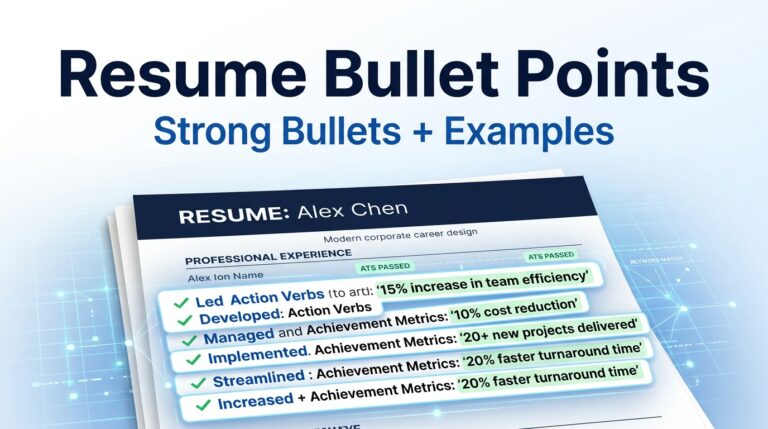
Start with a verb that tells the reader what you actually did. Depending on your profession, that could be developed, analyzed, managed, prepared, coordinated, resolved, designed, tested, implemented, maintained, trained, or another accurate action verb.
The Skill
Connect your action to a relevant professional skill. Instead of merely saying that you possess a skill, demonstrate where you used it.
The Tool or Technology
When software, platforms, programming languages, equipment, or other technologies are important to the position, mention them where they genuinely belong in your experience.
The Result
If your work produced a measurable or meaningful outcome, include it. A result can involve revenue, efficiency, accuracy, time, customer satisfaction, project completion, cost reduction, productivity, or another meaningful business outcome.
The ATS Resume Description Formula
One practical way to write stronger descriptions is to build each bullet around a simple structure:
You do not have to force every bullet to contain every element. The formula is a writing framework, not a rigid rule.
Improved monthly reporting workflows using Excel and automated data checks, reducing manual review time by 25%.
How to Write an ATS Resume Description Step by Step

Step 1: Choose the Job You Are Targeting
An ATS resume should not be written in a vacuum. Start by deciding which position you are applying for. The same candidate may need different descriptions for a project manager position and a business analyst position.
Step 2: Read the Job Posting Carefully
Look beyond the job title. Identify recurring responsibilities, required skills, software, technologies, certifications, methods, and professional terminology.
Step 3: Separate Matching Requirements From Unrelated Ones
You do not need to include everything mentioned in a job advertisement. Focus on requirements that genuinely correspond to your background.
Job requirement → Your matching experience → Specific resume description
Step 4: Write the First Draft Without Obsessing Over Keywords
First explain your work naturally. Describe the task, responsibility, tool, skill, and outcome. Once the meaning is correct, review the wording for relevant terminology.
Step 5: Add Relevant Job Keywords
If a technical or professional term from the job posting accurately describes your experience, use it where it makes sense.
Need help extracting terms? If you aren’t sure which skills to pull out of the job ad before writing your bullet points, follow our step-by-step guide on how to find resume keywords from a job description.
Step 6: Replace Vague Language
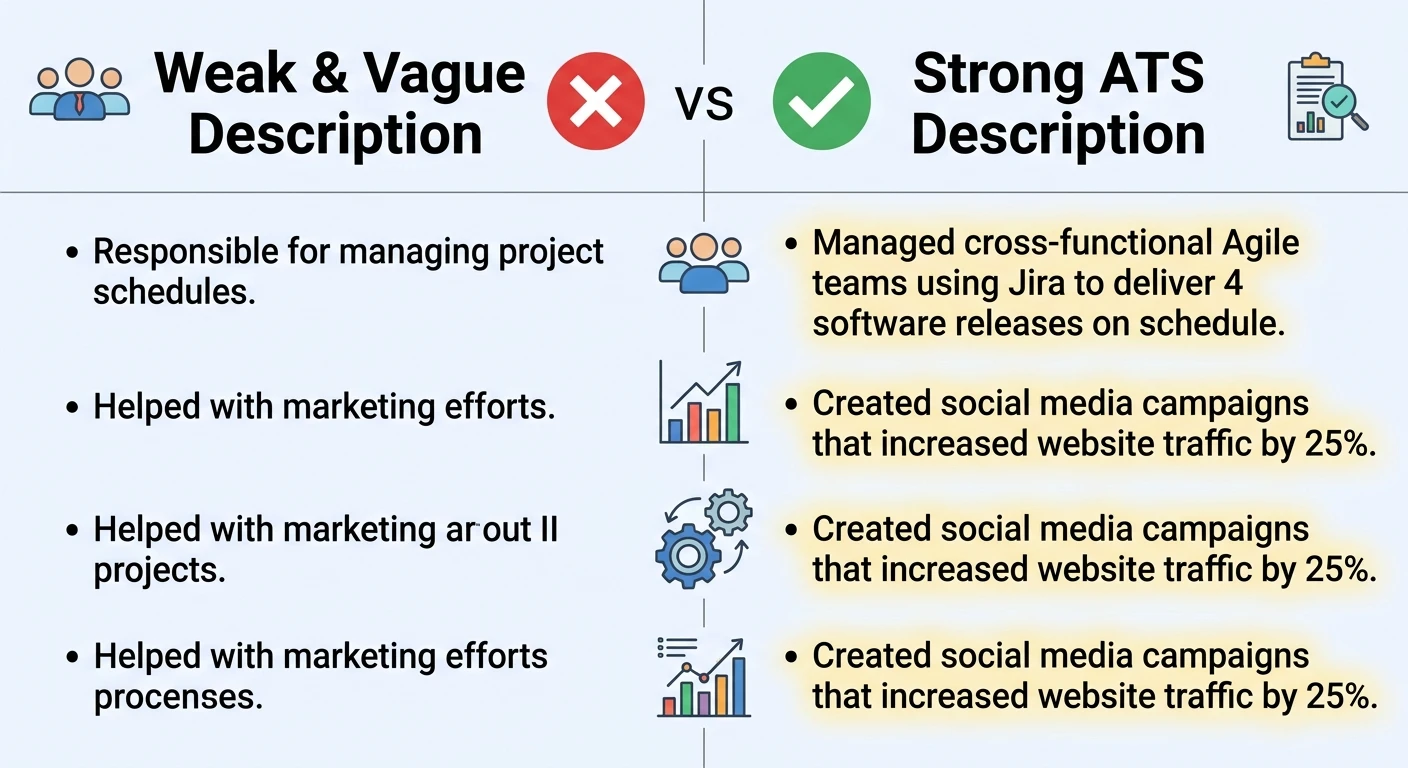
Look for phrases such as “worked on,” “helped with,” “responsible for various tasks,” or “handled duties.” These expressions are not always wrong, but they often hide the actual value of your work.
Step 7: Add Evidence
Ask yourself whether you can provide a number, outcome, scope, volume, time period, or other concrete detail. If you can, include it accurately.
Step 8: Edit for Readability
Read the finished bullet as if you were a recruiter seeing it for the first time. Can you understand the responsibility immediately? Does the wording sound natural? Is every phrase useful?
Test Your Draft: Once you have written your experience descriptions, paste your text into our free ATS Resume Checker to verify keyword density and formatting before applying.
How to Find Keywords for an ATS Resume Description
Keywords should come primarily from the position you are targeting and from your own professional vocabulary. The most valuable keywords are usually the ones that describe required skills, technologies, responsibilities, certifications, or methods.
- Job titles: Specific roles named in postings.
- Technical skills & software: Exact platforms, programming languages, and tools required.
- Certifications & methods: Formal qualifications and industry-standard workflows.
- Responsibilities: High-priority tasks requested by hiring managers.
Example: Data Engineer Keywords
A Data Engineer position might involve terminology such as SQL, Python, ETL, data pipelines, data modeling, and data quality.
Our Data Engineer ATS resume template covers this type of role-specific terminology, including SQL, Python, ETL, data pipelines, data modeling, cloud platforms, data warehousing, and data quality.
How to Insert ATS Keywords Naturally
Keyword placement becomes much easier when you stop thinking about keywords as isolated words. Instead, treat them as part of the story your resume is telling about your experience.
SQL Python ETL data pipelines data modeling SQL Python ETL data engineer.
Built ETL workflows using Python and SQL to move and transform data across reporting systems.
The highlighted terms are visible because they are relevant keywords, but they are also doing a real job inside the sentence. That is the important distinction.
ATS Resume Description Examples by Profession
The following examples demonstrate how the same basic writing principles can be adapted to different careers. Use them as writing models, not as text to copy into your own resume.
Customer Service Representative
For more role-specific guidance, see the Customer Service Representative ATS resume template. Its profile includes customer-service skills and terminology such as CRM, ticket management, customer satisfaction, and issue resolution.
Accountant
The Accountant ATS resume template is designed around accounting-specific skills, keywords, experience examples, and resume structure.
Frontend Developer
The Frontend Developer ATS resume template provides role-specific guidance around frontend technologies, skills, keywords, projects, and experience.
Backend Developer
For additional role-specific terminology, see the Backend Developer ATS resume template.
Software Quality Assurance Tester
See the Software Quality Assurance Tester ATS resume template for additional role-specific skills and keywords.
How to Improve a Weak Resume Description
A useful editing technique is to take a vague sentence and ask five questions: What did I do? How did I do it? What did I use? Who or what did it affect? What was the result?
The second version is not stronger because it contains more words. It is stronger because it gives the reader specific information about the work, the tool, and the working environment.
ATS Resume Description vs. Keyword Stuffing
One of the biggest mistakes in ATS resume writing is treating keywords as something that should be repeated as many times as possible. A resume is not a keyword field.
Managed Agile projects using Jira and sprint planning workflows…
Agile scrum methodology project management sprint planning backlog management Jira software.
The second approach might get indexed for keywords, but a human reader will see that it contains no meaningful information. Recruiter evaluations still depend on clarity, context, and credibility.
How ATS Systems Process Resume Descriptions
Understanding the basics of how Applicant Tracking Systems handle text can help you write more effectively.
1. Parsing
When you upload a resume, the ATS parses the document to separate contact details, work history, skills, and education into database fields. Simple, predictable text structures make this parsing process more accurate.
2. Keyword Matching & Search
Recruiters search their database using job titles, specific skills, certifications, and required tools. If your resume contains the terms they are searching for within a natural description, your profile is more likely to match their criteria.
3. Recruiter Review
Passing an automated screen is only step one. A human recruiter or hiring manager will read the actual text. If your descriptions are confusing, overloaded with jargon, or lack substance, you will not move forward in the hiring process.
Common Mistakes to Avoid in ATS Resume Descriptions
Mistake 1: Relying on Vague Buzzwords
Words like “hardworking,” “self-starter,” “synergy,” and “team player” take up valuable space without proving your capabilities. Replace them with specific actions, tools, and outcomes.
Mistake 2: Copying the Entire Job Description
Pasting exact blocks of text directly from a job posting looks lazy to human readers and can create awkward, repetitive sentences. Adapt the terminology into your own unique experience instead.
Mistake 3: Hiding Keywords in Invisible Text
Using white font or tiny text to hide keywords on a page is an outdated tactic. Modern ATS parsers extract plain text regardless of font color, making hidden text obvious to readers and likely leading to application rejection.
Mistake 4: Overcomplicating Simple Tasks
You do not need complex jargon to explain straightforward responsibilities. Clear, direct language is always easier to process for both software and human hiring managers.
Final Checklist for Your Resume Descriptions
Before submitting your application, review your descriptions against this quick checklist:
- Do your action verbs clearly state what you accomplished?
- Did you include specific tools, platforms, or software relevant to the target role?
- Are key terms used naturally within complete, grammatical sentences?
- Did you quantify your results with numbers, percentages, or concrete outcomes where possible?
- Is the formatting clean and easy to read without unnecessary decorative fluff?