How to Make an ATS-Friendly Resume That Gets Noticed
Sending out dozens of job applications and hearing nothing back can be frustrating. Sometimes the problem isn’t your experience. It may be the way your resume is formatted or the way it matches the job you’re applying for.
Many employers use an Applicant Tracking System (ATS) to manage job applications. An ATS can read and organize information from resumes, including work experience, skills, education, job titles, and other qualifications. Recruiters can then use that information to search and filter candidates.
That is why learning how to make an ATS-friendly resume is worth your time. The goal isn’t to trick an ATS or fill your resume with keywords. It’s to create a clear, well-structured resume that is easy for software to parse and easy for a recruiter to understand.
In this guide, you’ll learn exactly how to create and build an ATS-friendly resume, from choosing the right format to adding keywords and writing better experience bullets.
What Is an ATS-Friendly Resume?
An ATS-friendly resume is a resume that uses a clear structure and straightforward formatting so applicant tracking systems can accurately identify the information in it.
Depending on the system and the employer’s process, an ATS may extract information such as:
- Your name and contact information
- Professional experience
- Job titles
- Skills
- Education
- Certifications
- Projects
Employers may then search, filter, or organize candidates based on qualifications and other information in their applications.
If you want a quick introduction to how these systems work, you can read our guide on what ATS tools are and how they work.
Why Does an ATS-Friendly Resume Matter?
Imagine a company receives hundreds of applications for one position. A recruiter may not have the time to manually study every resume from the beginning.
An ATS helps employers organize those applications and makes it easier to find candidates whose qualifications are relevant to the role.
This doesn’t mean an ATS simply gives every resume a score and automatically rejects everyone below a magic number. Different systems and employers use different screening and recruiting processes.
What you can control is whether your resume is:
- Easy to read
- Easy to parse
- Relevant to the position
- Structured clearly
- Written with appropriate keywords
- Focused on real skills and achievements
That’s what makes ATS optimization useful. You’re not writing a resume for a robot. You’re making sure the information about your career can be understood by both software and people.
How to Make an ATS-Friendly Resume
If you’re wondering how to make your resume ATS-friendly, start with the basics. You don’t need a complicated design or a dozen optimization tricks. A strong ATS resume is usually simple, relevant, and specific.
1. Start With a Simple Resume Layout
The easiest way to build an ATS-friendly resume is to start with a clean layout.
A traditional single-column format is a safe choice because it keeps information in a logical reading order. Avoid designs that depend heavily on graphics, sidebars, text boxes, or complicated layouts.
Your resume should have enough white space to remain comfortable to read, but don’t sacrifice useful information just to make it look minimal.
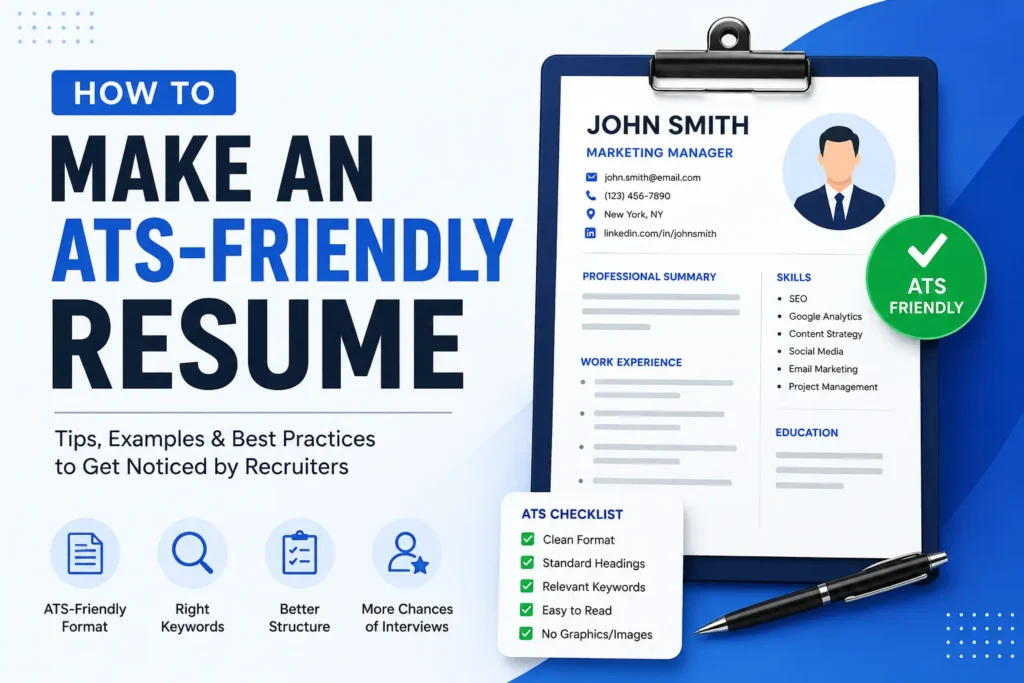
A good basic structure is:
- Contact Information
- Professional Summary
- Work Experience
- Education
- Skills
- Certifications
- Projects, if relevant
- Languages, if relevant
Current resume guidance from Indeed and Jobscan similarly recommends keeping ATS resumes straightforward and avoiding formatting that can interfere with parsing.
2. Use Standard Resume Section Headings
Don’t try to be overly creative with your section names.
For example, instead of:
“Where I’ve Made an Impact”
use:
Work Experience
Instead of:
“My Academic Background”
use:
Education
Standard headings make your resume easier to scan and make it obvious what information belongs in each section.
Good headings include:
- Professional Summary
- Work Experience
- Education
- Skills
- Certifications
- Projects
3. Choose an ATS-Friendly Font
Your resume doesn’t need an unusual font to stand out.
Use a common, readable font such as:
- Arial
- Calibri
- Helvetica
- Georgia
- Times New Roman
For most resumes, a body font size around 10–12 points is comfortable to read. Headings can be larger so the document has a clear visual hierarchy.
The important thing is consistency. Avoid switching between several fonts or using decorative fonts that make the document harder to read.
4. Put Your Contact Information in Plain Text
Start your resume with the information a recruiter needs to contact you.
For example:
John Smith
Software Engineer
john.smith@email.com | +1 555 123 4567 | New York, NY
linkedin.com/in/johnsmith
Keep important contact information in the main body of the document rather than hiding it inside complicated design elements.
5. Write a Strong Professional Summary
Your professional summary should quickly explain who you are, what you do, and what you bring to the position.
Keep it focused on the job you’re targeting.
For example, instead of writing:
“Hardworking and motivated professional looking for an opportunity to grow with a great company.”
write something more specific:
“Results-driven digital marketing specialist with 5+ years of experience in SEO, content strategy, paid advertising, and analytics. Experienced in managing campaigns that increase organic traffic and qualified leads.”
The second version gives the recruiter useful information immediately and naturally includes relevant skills.
6. Match Your Resume to the Job Description
This is one of the most important parts of creating an ATS-friendly resume.
Before you start changing your resume, read the job description carefully.
Look for:
- Required skills
- Preferred skills
- Job-specific terminology
- Software and tools
- Certifications
- Qualifications
- Responsibilities
Then compare those requirements with your actual experience.
For example, suppose a software engineering job repeatedly mentions:
- Python
- SQL
- REST APIs
- AWS
- Agile
If you genuinely have those skills, make sure they’re visible in your resume instead of using vague descriptions that don’t communicate the same experience.
Relevant keywords can help your resume match the language employers use when describing the position. Indeed’s guide to resume keywords also recommends using keywords based on the specific job you’re applying for.
7. Use Keywords Naturally
Keyword optimization does not mean copying the job description and stuffing every phrase into your resume.
That usually makes a resume sound unnatural.
Instead, use relevant keywords where they accurately describe your experience.
For example, if you have managed projects using Agile and Scrum, you could write:
“Managed cross-functional software projects using Agile and Scrum methodologies, coordinating development teams and stakeholders to deliver projects on schedule.”
This is much better than creating a separate paragraph filled with repeated phrases such as “Agile, Scrum, Agile project management, Scrum project management.”
Only include skills and keywords you can honestly support with your experience.
8. Write Job Experience With Achievements
A common resume mistake is listing responsibilities without explaining what you actually accomplished.
Compare these two examples:
Weak:
“Responsible for managing social media accounts.”
Better:
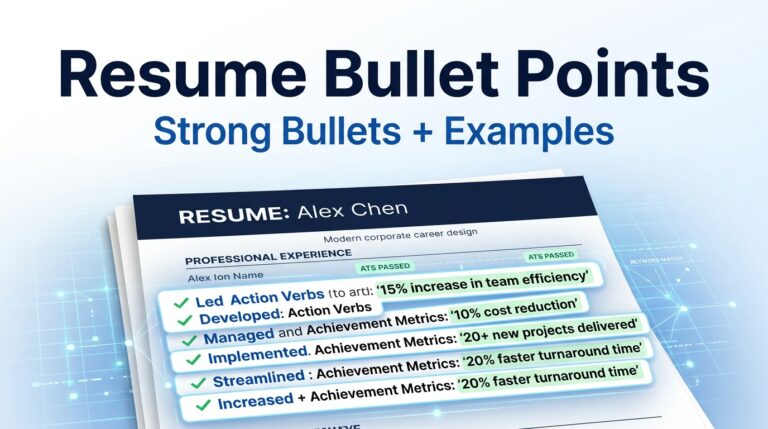
“Managed social media campaigns across LinkedIn, Instagram, and Facebook, increasing organic engagement by 35% over six months.”
The second example tells the employer what you did and what happened as a result.
Whenever possible, include measurable results such as:
- Revenue generated
- Percentage growth
- Costs reduced
- Time saved
- Customers acquired
- Projects completed
- Team size
- Conversion improvements
A useful formula is:
Action + What You Did + Result
For example:
“Reduced monthly reporting time by 30% by automating recurring Excel reports and data-cleaning tasks.”
9. Keep Job Titles and Dates Clear
Make it easy to understand where you worked, what your position was, and when you worked there.
A simple structure is:
Marketing Manager
ABC Company | January 2023 – Present
Then list your most relevant accomplishments underneath.
If your official job title is unusual or specific to your company, don’t invent a new title. Instead, make the role’s responsibilities clear through your summary and experience bullets.
10. Avoid Putting Important Information in Images
Your resume should not depend on images to communicate important information.
Avoid using:
- Skill bars
- Rating graphics
- Charts
- Photos as part of the resume content
- Logos containing important information
- Decorative graphics that replace text
For example, instead of showing your Excel skill as a five-star graphic, simply write:
Skills: Microsoft Excel, SQL, Data Analysis, Financial Modeling
Plain text is clearer for both software and recruiters.
11. Be Careful With Tables, Columns, and Text Boxes
Tables and multiple-column designs can look polished, but they can also make the reading order less predictable for some resume parsers.
If you’re specifically trying to build an ATS-friendly resume, a straightforward single-column layout is usually the safer option.
This is particularly important when you’re placing job titles, dates, employers, and responsibilities into different visual sections.
Keep the information in a logical order so that someone—or an ATS—can read your resume from top to bottom without having to figure out the layout.
12. Use the Right Resume File Format
Always follow the employer’s instructions if the job posting specifies a file format.
If the employer asks for a PDF, submit a PDF. If they specifically request a Word document, follow that instruction.
Whichever format you use, make sure the resume contains actual selectable text rather than being a scanned image of a document.
A simple test is to open your finished resume, select the text, and copy it into a plain text editor. If the information becomes scrambled or appears in a strange order, your formatting may need another look.
How to Build an ATS-Friendly Resume Step by Step
If you want a simple process for building an ATS-friendly resume from scratch, follow these steps:
- Choose the job you’re targeting. Don’t start with a generic resume if you already know the position you want.
- Read the job description. Identify the important skills, qualifications, tools, and responsibilities.
- Choose a simple layout. A clean single-column format is a practical starting point.
- Add your contact information. Use plain text and make it easy to find.
- Write a targeted professional summary. Mention your relevant experience and strongest qualifications.
- Add your work experience. Focus on achievements and results rather than simply listing duties.
- Add your education and certifications. Include qualifications that are relevant to the position.
- List relevant skills. Use terminology that accurately reflects both your abilities and the job description.
- Review your formatting. Remove unnecessary graphics, complicated tables, and decorative elements.
- Proofread the final version. Your resume should be optimized for software without sounding like it was written for software.
If you’re deciding which file format to submit, see our guide comparing ATS-friendly PDF vs. Word resumes.
ATS Resume Example Structure
Here’s a simple structure you can use when creating your own resume:
YOUR NAME
Professional Title
Email | Phone | Location | LinkedIn

PROFESSIONAL SUMMARY
2–4 sentences summarizing your experience, key skills, and relevant achievements.

WORK EXPERIENCE

Job Title
Company Name | Location
Month Year – Present

• Achievement or responsibility with a measurable result.
• Achievement or responsibility relevant to the target position.
• Achievement demonstrating an important skill or qualification.

Previous Job Title
Previous Company | Location
Month Year – Month Year

• Relevant achievement or responsibility.
• Relevant achievement or responsibility.
• Relevant achievement or responsibility.

EDUCATION

Degree, Major
University Name | Graduation Year

SKILLS

Skill | Skill | Skill | Skill | Skill

CERTIFICATIONS

Certification Name | Issuing Organization | Year

PROJECTS

Project Name
Short description of the project, your contribution, and the result.
Common ATS Resume Mistakes to Avoid
Even a well-qualified candidate can weaken their application with a few avoidable resume mistakes.
Using Too Much Design
A resume doesn’t need to look like a brochure. If the design makes the information harder to extract, it isn’t helping you.
Keyword Stuffing
Don’t repeat the same keyword twenty times just because it appears in the job description. Use relevant terminology naturally and only when it describes your real experience.
Using Creative Section Names
Standard headings are clearer and more practical than headings designed purely to look clever.
Writing a Generic Resume
A single resume sent to every employer may fail to emphasize the qualifications that matter most for each position.
You don’t have to completely rewrite your resume for every application. Start with a strong master resume, then adjust your summary, skills, and most relevant experience for the position.
Adding Skills You Don’t Actually Have
Never add a keyword simply because you think an ATS will like it.
If an employer asks about that skill during an interview, you’ll need to explain your experience. Your resume should always be accurate.
How to Check an ATS-Friendly Resume Before Applying
Before sending your resume, give it a final review.
Ask yourself:
- Is the layout simple and easy to follow?
- Are my section headings clear?
- Can the text be selected and copied?
- Are my most relevant skills easy to find?
- Did I use terminology from the job description where it genuinely applies?
- Are my achievements specific and measurable?
- Did I remove unnecessary graphics and complicated formatting?
- Does the resume still sound natural?
- Is everything on the resume accurate?
- Have I tailored the resume to this particular job?
If the answer to these questions is yes, you’re in a much better position to submit a resume that is both ATS-friendly and recruiter-friendly.
Build Your ATS-Friendly Resume With HireTools
Creating a resume manually can take a surprising amount of time. You have to decide what sections to use, how to organize your experience, which skills to highlight, and how to keep the formatting clean.
That’s why we created the HireTools ATS Resume Builder.
It gives you a straightforward way to create a professional resume with a clean structure and live preview. You can choose your target job, add your personal information, professional summary, experience, education, skills, projects, certifications, and languages, then preview the finished resume before downloading it.
The builder also lets you choose from clean resume styles while keeping the focus on readable, structured content.
Instead of spending hours fighting with formatting, you can start with a resume structure designed around the things that matter: clear information, relevant skills, professional experience, and readability.
Build your ATS-friendly resume with HireTools →
Final Thoughts
Making an ATS-friendly resume doesn’t mean removing all personality from your resume or trying to guess how every applicant tracking system works.
The better approach is much simpler: make your resume clear, relevant, readable, and honest.
Use a straightforward layout, standard headings, relevant keywords, readable fonts, and achievement-focused experience bullets. Most importantly, tailor the resume to the position you’re actually applying for.
Your resume has two jobs: first, it needs to be readable by the systems used to process applications; second, it needs to give a recruiter a good reason to keep reading.
Build it with both audiences in mind, and you’ll have a much stronger foundation for your next job application.