ATS Resume Builder Without Login: Create Your Resume Without an Account
If you need a resume for a job application, the last thing you should have to do is create another online account just to download it.
That’s why HireTools takes a different approach.
The HireTools ATS Resume Builder lets you create an ATS-friendly resume directly in your browser without creating an account, without signing up, and without logging in.
You can enter your information, build your resume, review the finished document, and download it as a PDF.
No account is required to get started.
Create an ATS Resume Without Login →
Why Use an ATS Resume Builder Without Login?
When you’re actively applying for jobs, speed matters.
You may have found a job posting and need to update your resume immediately. You don’t necessarily want to register for another website, verify an email address, remember another password, or create an account before you can even start building your resume.
A resume builder without login removes that extra step.
With HireTools, you can open the ATS Resume Builder and start working on your resume right away.
There is no account creation step between you and the builder.
No Sign-Up Required
The HireTools resume builder is designed to work without requiring you to sign up first.
You don’t have to create a profile before entering your resume information.
You can simply open the builder and begin.
This is useful if you:
- Need a resume quickly for a job application
- Are updating an existing resume
- Want to create a resume for a specific application
- Don’t want another website account
- Prefer not to manage another password
- Want to start building your resume immediately
The idea is simple: you need a resume, not another account.
No Login Required to Build Your Resume
An ATS resume builder without login should make the resume-building process feel immediate.
That’s the experience HireTools is designed to provide.
Instead of being asked to log in before you can start, you can go directly to the builder and work through the resume sections.
The process is straightforward:
Choose a template → Select your target job → Enter your information → Build your sections → Review your resume → Download the PDF.
The builder provides a structured workflow with a live resume preview, so you can see how your document is coming together while you work.
How the HireTools ATS Resume Builder Works
You don’t need to learn complicated document formatting or design a resume from a blank page.
The builder guides you through the important parts of creating a professional resume.
Choose a Resume Template
You can start by choosing one of three template styles:
- Classic — a clean, straightforward resume layout
- Modern — a contemporary resume presentation
- Compact — designed to use available space efficiently
The purpose isn’t to make your resume visually complicated. It’s to give you a clean structure for presenting your qualifications.
Select Your Target Job
After choosing a template, you can select the type of job you’re applying for.
The builder includes a range of job profiles and provides relevant suggestions based on the target position.
Depending on the selected job, these suggestions can include:
- Professional summaries
- Skills
- ATS keywords
- Certifications
- Experience bullet points
These suggestions are intended to give you ideas while creating your resume. You should always customize the information to accurately represent your real experience and qualifications.
Enter Your Personal Information
The next step is adding your basic resume information.
The builder provides fields for information such as:
- Full name
- Professional title
- Phone number
- Location
- LinkedIn profile
- Personal website
You can provide the information that is relevant to your resume.
Write Your Professional Summary
Your professional summary gives employers a quick introduction to your background and professional strengths.
You can write your own summary or use the job-focused suggestions provided by the builder as a starting point.
The important thing is to make the final version accurate and relevant to your actual experience.
Add Your Work Experience
Your work experience is one of the most important sections of your resume.
The builder allows you to add your employment history and organize it into the resume layout without manually formatting every position.
When writing your experience, focus on responsibilities, accomplishments, results, and skills that are relevant to the position you’re applying for.
Add Education and Skills
Education and skills have dedicated sections in the builder, keeping your resume information organized and easy to review.
You can add the skills that genuinely match your background and the position you’re targeting.
The target-job feature can also provide relevant skill and keyword ideas to help you identify areas worth highlighting.
However, you should only include skills you actually have. The goal is to make your real qualifications clear rather than simply filling your resume with keywords.
Add Projects, Certifications, and Languages
Not every applicant needs additional resume sections, but they can be useful depending on your background.
The builder allows you to add optional sections for:
- Projects
- Certifications
- Languages
These sections can be especially useful for students, recent graduates, technical professionals, career changers, and applicants whose additional qualifications strengthen their application.
See Your Resume While You Build It
One of the useful features of the builder is the live A4 resume preview.
You don’t have to finish your entire resume and then hope the formatting looks right.
As you enter your information, you can review how the finished resume is taking shape.
This gives you an opportunity to check:
- Contact information
- Section order
- Job titles
- Employment dates
- Education
- Skills
- Spelling
- Overall layout
You can make changes before downloading the final document.
Download Your Resume as a PDF
Once your resume is ready, you can use the Download PDF option to create the final document.
The generated PDF contains readable, selectable, and extractable text rather than simply being a picture of a resume.
This is important when you need to use your resume as an actual document. The text can be read, selected, copied, and extracted instead of being locked inside an image.
You can download the finished PDF and use it for your job applications.
What Does “ATS-Friendly” Mean?
ATS stands for Applicant Tracking System.
Many employers use applicant tracking software to organize and process job applications. An ATS-friendly resume generally uses a straightforward structure, recognizable sections, readable formatting, and relevant information.
That’s why the HireTools builder focuses on a clean resume structure rather than unnecessary visual elements.
The builder provides standard resume sections such as professional summary, experience, education, and skills, with optional sections for projects, certifications, and languages.
The goal is simple: make your qualifications easy to understand.
An ATS Resume Builder Without Creating an Account
There is an important difference between being able to build a resume online and being required to create an account before you can use the tool.
HireTools is designed around the first approach.
You can use the ATS resume builder without creating an account.
You don’t have to start by registering.
You don’t have to log in before entering your information.
You can go directly to the resume builder and start creating your document.
That makes it useful when you simply want to create a resume and move on to your job application.
Why a No-Account Resume Builder Can Be More Convenient
A resume contains personal and professional information. That can include your name, contact details, employment history, education, skills, and other career information.
Some people simply prefer not to create an account every time they use an online tool.
A no-login workflow means you can focus on creating the document instead of first setting up a user profile.
If your goal is simply to build a resume and download the finished PDF, there is no reason for the process to feel more complicated than necessary.
Build a Resume for the Job You’re Applying For
A resume doesn’t have to be identical for every job.
If you’re applying for a Software Engineer position, for example, the qualifications you want to highlight may be very different from those you would emphasize for an Accountant, Teacher, Sales Manager, or Data Analyst position.
That’s why HireTools includes a target-job feature.
Select the type of position you’re pursuing and the builder can provide relevant ideas for summaries, skills, keywords, certifications, and experience bullet points.
You can then decide which suggestions actually apply to your background.
This gives you a useful starting point while keeping you in control of the final resume.
A Free ATS Resume Builder Without Sign-Up
If you’re searching for an ATS resume builder without login, an ATS resume builder without sign up, or a resume builder that lets you create a resume without creating an account, HireTools is built around that simple experience.
You can start building your resume directly from the tool.
No registration step is required. No login is required. No account needs to be created before you can begin.
Build your resume, review the live preview, and download the finished PDF.
Try the HireTools ATS Resume Builder Without Login →
Create Your Resume. Don’t Create Another Account.
A resume builder should make applying for jobs easier.
You already have enough accounts, passwords, forms, and application portals to deal with.
If all you need is a professional, ATS-friendly resume, you should be able to open a builder and start creating one.
That’s the idea behind HireTools.
No account required. No sign-up before you start. No login step standing between you and your resume.
Choose a template, select your target job, enter your information, review the live resume preview, and download your PDF when you’re ready.
Build your ATS-friendly resume without creating an account.
Create Your Free ATS Resume Without Login →
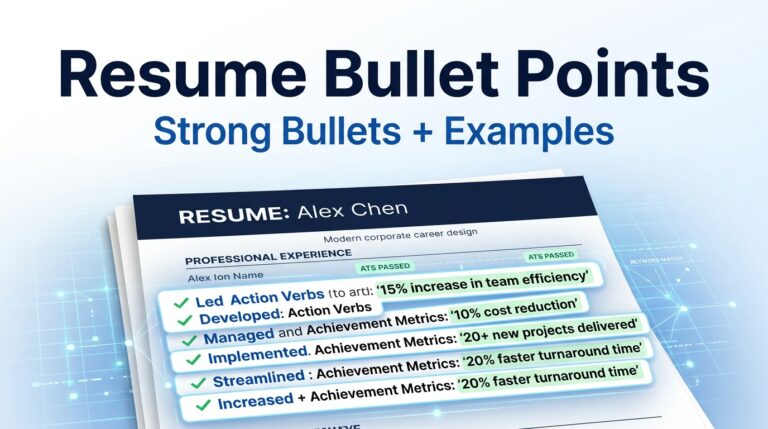
While our builder ensures your layout passes applicant tracking software without formatting errors, structuring your content effectively remains equally vital. According to Harvard University’s resume writing guidelines, using clear action verbs and focusing on measurable accomplishments are key factors in capturing a recruiter’s attention after your resume passes the initial ATS scan.